Definition and Usage
BLF
BLF stands for Busy Lamp Field. The term describes a group of physical LED line keys or extensions, or equivalent icons on touchscreen phone models. These line keys indicate who is talking on other extensions of the PBX phone system (usually blinking red) and who is free to receive a call (usually solid green). BLF keys also function like regular line keys and can be pressed to dial their respective extensions.
BLF can save users time by letting them know if other agents are available to accept direct or transfer calls before they try to connect to their extension.

Speed Dial
While this can also be achieved using extensions, the speed dial feature is simpler to configure and just provides a calling or forwarding function for outbound calls from a user's line. Extensions, on the other hand, work for both inbound and outbound calling and are also used for access to system features and destinations.
You should give extensions and speed dials different numbers. If you give the same number to both, speed dials will get priority.
In general, Speed Dials are aimed for use with external numbers while BLF are used for internal numbers or extensions.
Both features work the same, allowing quick dialing with a push of a button, except that with BLF you also get the busy light indicator as the system is able to display the availability status of internal users.
Admin Center Configuration
BLF and Speed Dials are configured in the Admin Center.
- They can be configured for individual user lines from the Lines and Devices page, as explained here.
- Or they can be configured globally for all users from the Speed Dials page, as explained here.
- BLF keys are also useful for users in Pickup Groups to monitor and grab holding calls from other group members. Pickup groups are covered here.
 After you create a new BLF or speed dial key or modify existing ones, users would need to reboot their phones or update the phone configuration to acquire the new key settings.
You can find rebooting and configuration updating instructions for phones we sell and support by selecting the Telephone User Guides on the home page of this support portal (scroll down to the Knowledge Base section).
TeleConsole Usage
Unlike Physical SIP phones, the TeleConsole app doesn't have line keys, but it still offers speed dial and BLF functions.
Using Speed Dials on the TeleConsole
The TeleConsole doesn't have line keys and you cannot speed dial phone numbers with a single key. Instead, you need to start a call on the dialler, dial the code assigned to the speed dial in the Admin Center, and push the dial button.
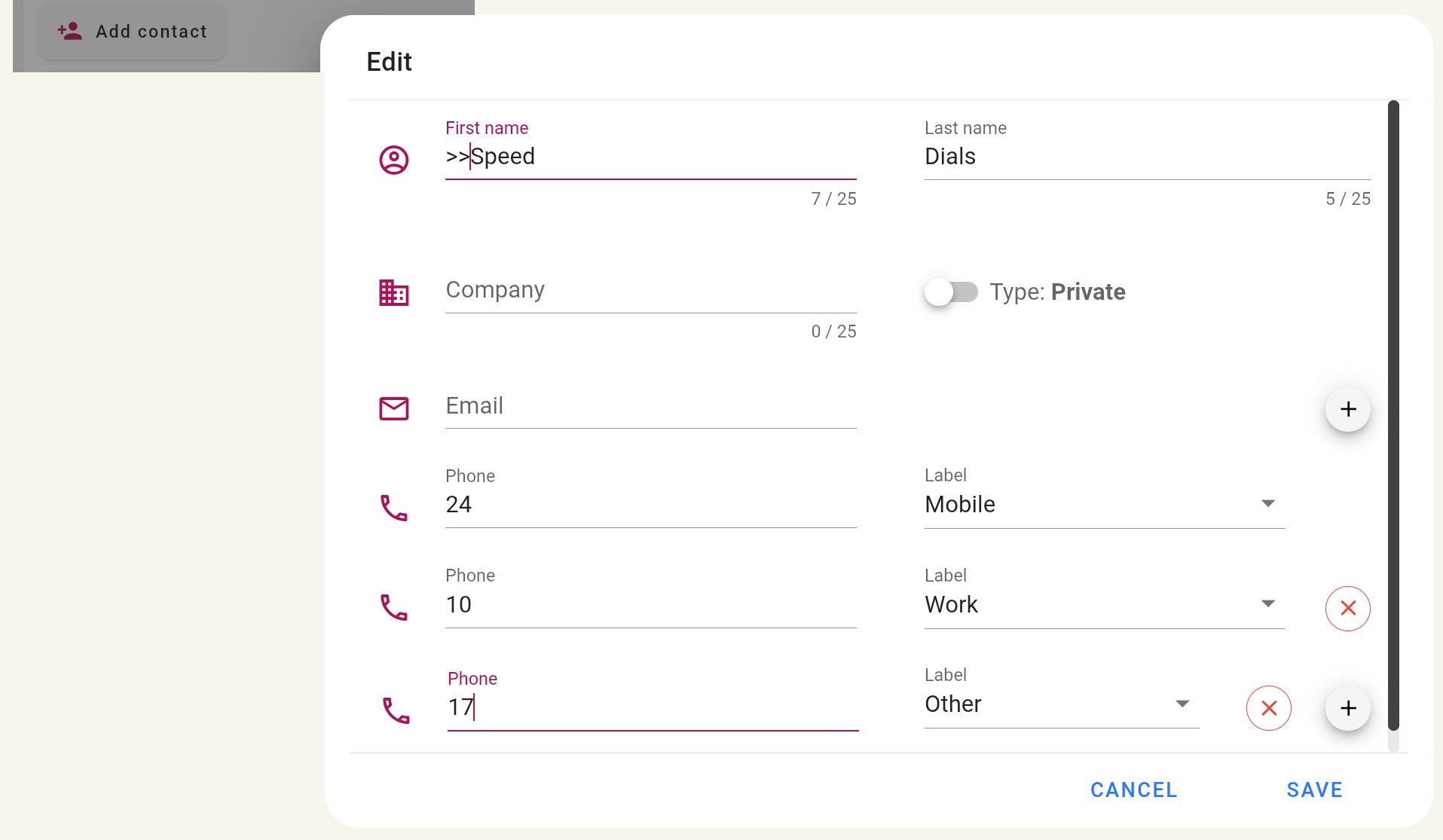
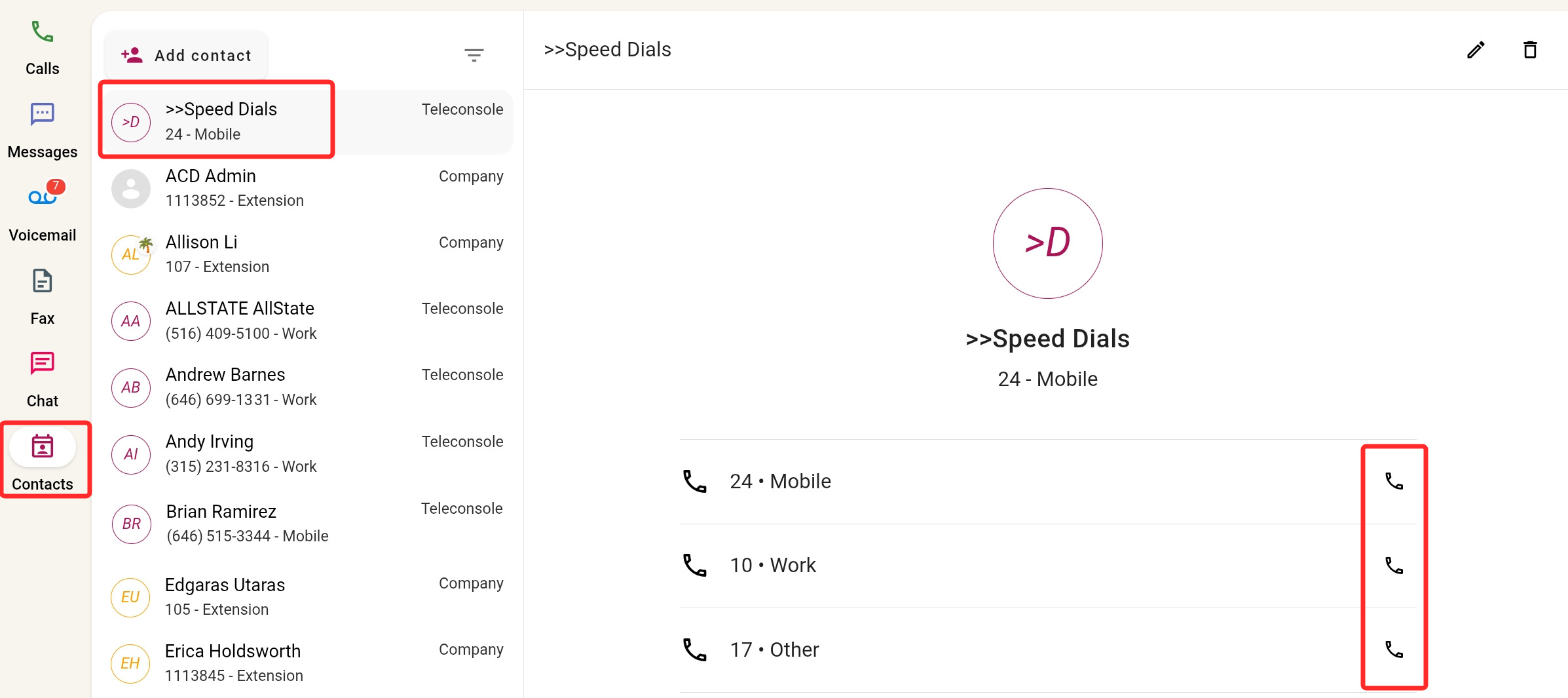
A quicker three-click method is to create a ">Speed Dial" contact. Starting the contact's name with ">" (or any other symbol) will place it at the top of the contact list, making it convenient to access. Add all the speed dials you need
as phone numbers and label them.
Remember that you just need to provide the speed dial code. The phone number it routes calls to is defined in the Admin Center (see above).
You can now dial phone numbers quickly with speed dials by selecting the Contacts page, opening the ">Speed Dial" contact, and clicking  next to the relevant speed dial.
Using BLF on the TeleConsole
On physical phones, BLF keys are grouped together and provide an instant overview of which extensions are busy or available.
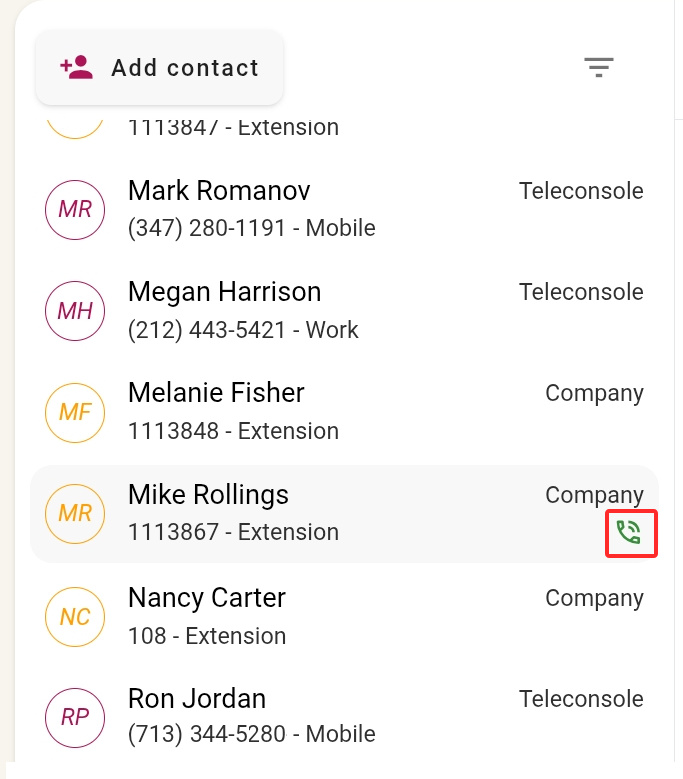
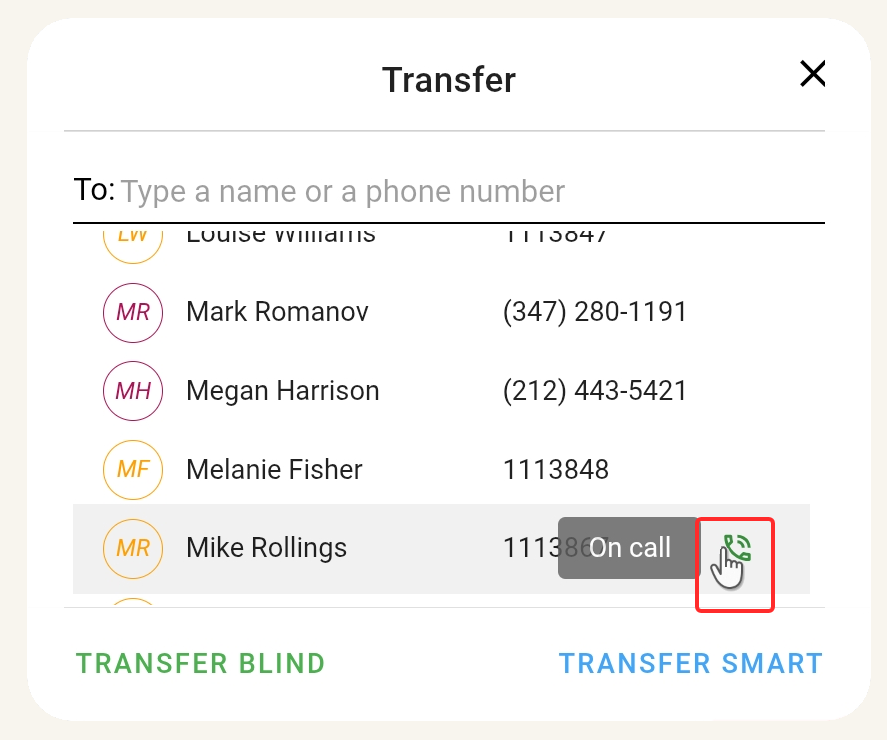
There is no such group of keys on the TeleConsole, but instead busy user extensions or lines are marked with  on the Contacts page or the Call Transfer window. All the other extensions and lines, that are not marked with this icon, are not busy.
Note that the icon is green (where on physical phones a busy BLF extension is usually red), but if you hover your mouse over the icon, you can see a bubble indicating the user is on a call.
|  |