- Usage
- Access and Existing API Keys
- Key Controls and Reissuing Keys
- API Key Settings
- Creating a New Key
- Expiration Notifications
Usage
API Keys are a type of digital password made up of a string of random letters and numbers. They are used for authenticating apps, scripts, servers, and websites that use APIs to share data and request services.
Currently, API keys and Telebroad's API can be used to place test calls with the Flows advanced routing feature.
Access and Existing API Keys
Access the API Keys page by selecting Integrations from the side navigation panel and clicking Manage.
To add or modify keys, an Account Owner role or a role with API Keys view permission is required. Roles are further explained here.

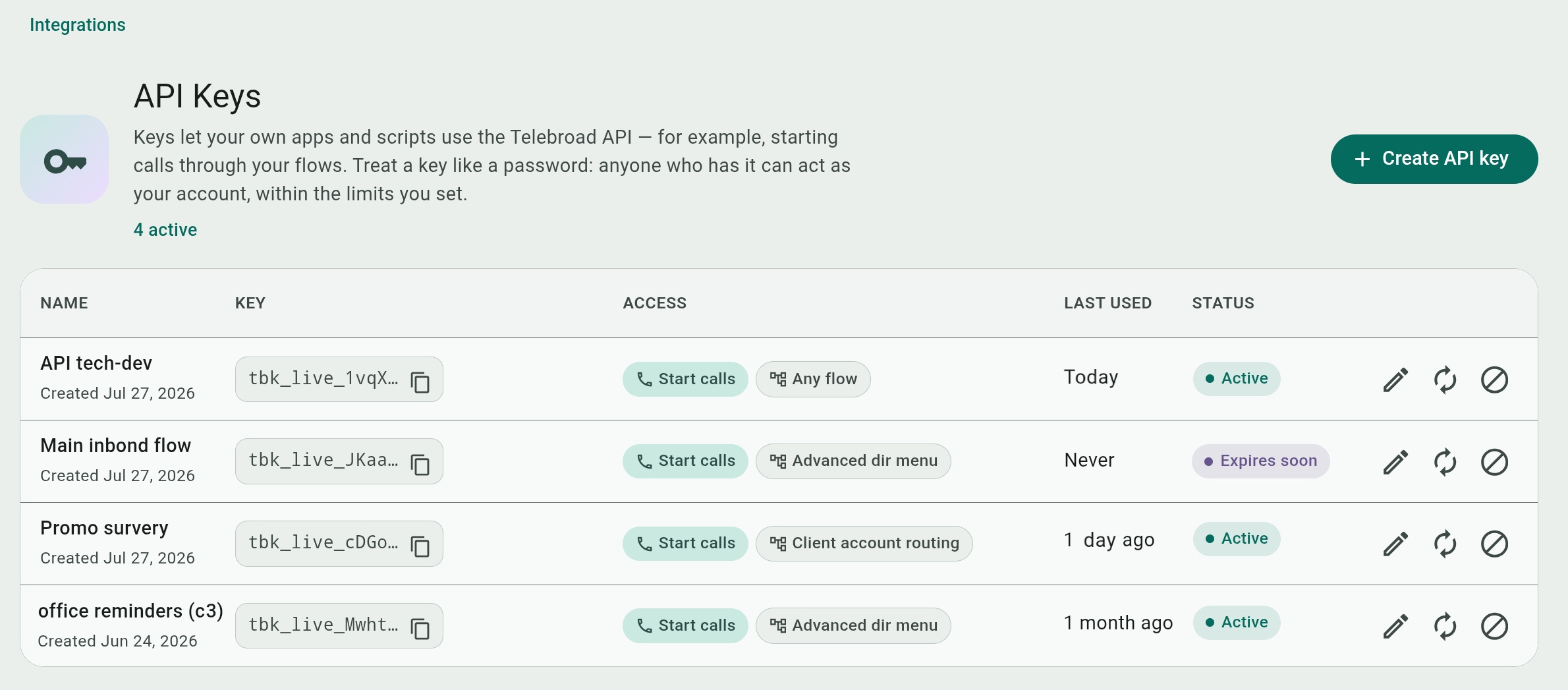
Existing API keys are listed by NAME (and creation date), a KEY prefix, the kind of service ACCESS they provide (for example, starting a test call) and to which flow , when the key was LAST USED by the flow, and its STATUS (Active, Expires soon, or Expired).
 Note that only the key prefixes are stored and can be copied (
 ) on this page. You can copy and save the full key only when it is created!
Key Controls and Reissuing Keys
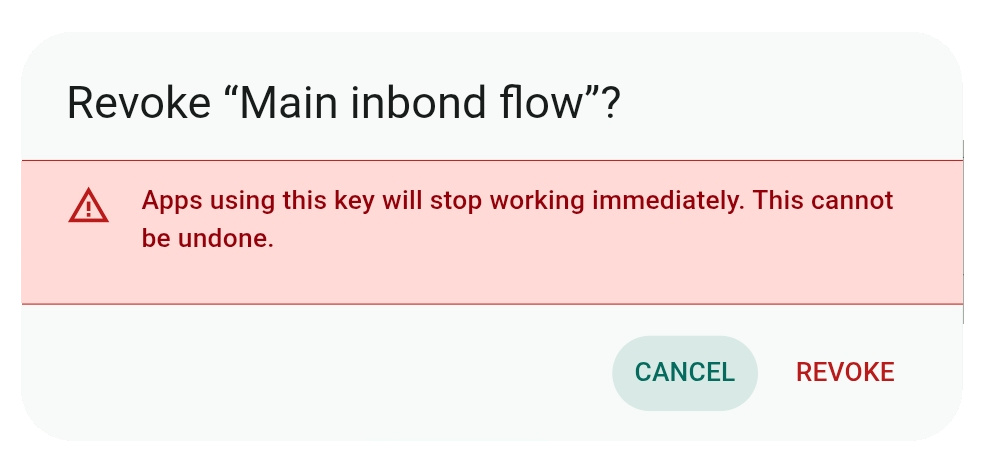
API keys have three control buttons. The  button lets you edit a key's settings. You can revoke (delete) a key with
 .
.

Deleting keys cannot be undone. Any app that relies on the key for access will stop working immediately.
Use  to reissue the key and change its expiration date. You can select to set the current expiration to 7, 30,90 days, or 1 year from the current time.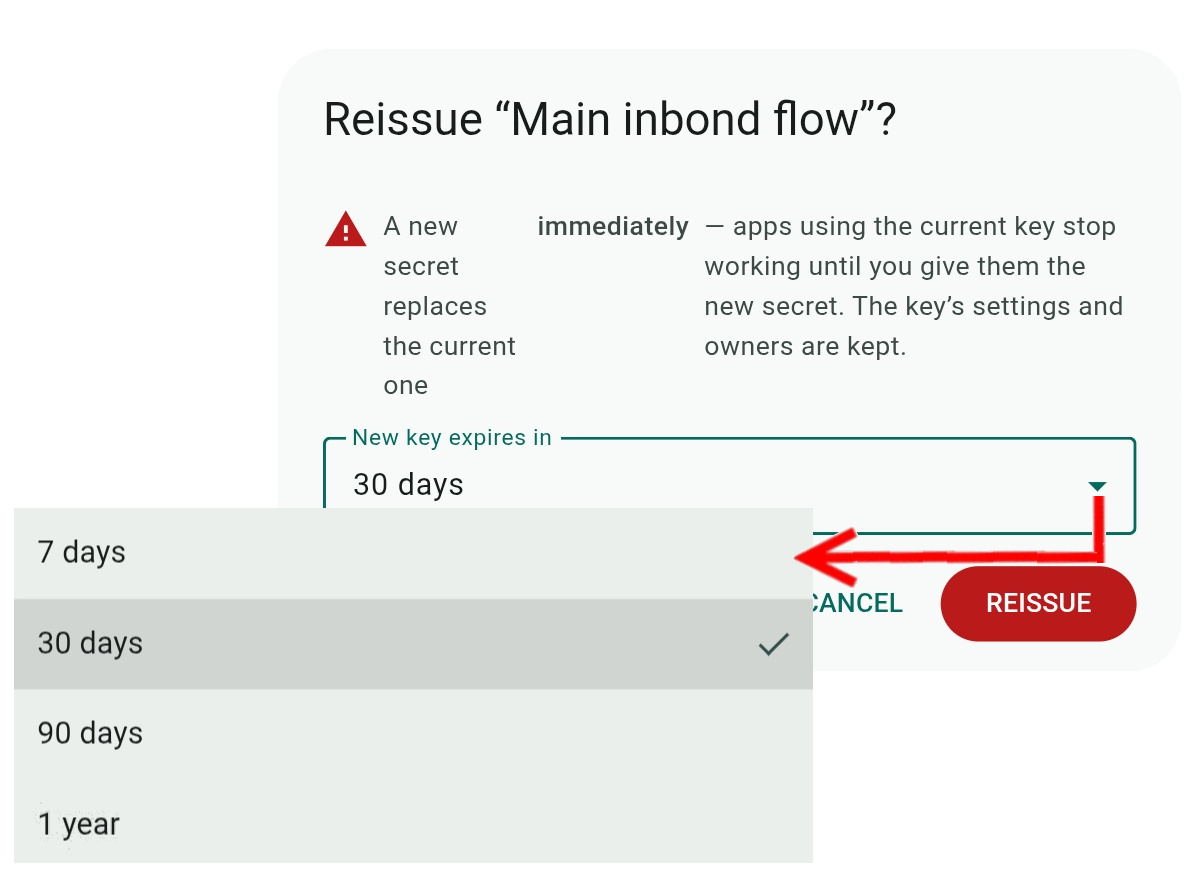
API Key Settings
Select an existing key or create a new one to edit or configure the key's settings.
Pin to a flow is optional and makes the key available to the specific selected flow, or you can have it available to the default Any flow choice.
You need to select one or more Owners who will be reminded by email about the key's upcoming expiration.
For security, set the key's validity period from the Expires menu to 7, 30,90 days, or 1 year from the current time. You can also restrict the key's access to only for addresses in he Allowed IPs field.
Creating a New Key
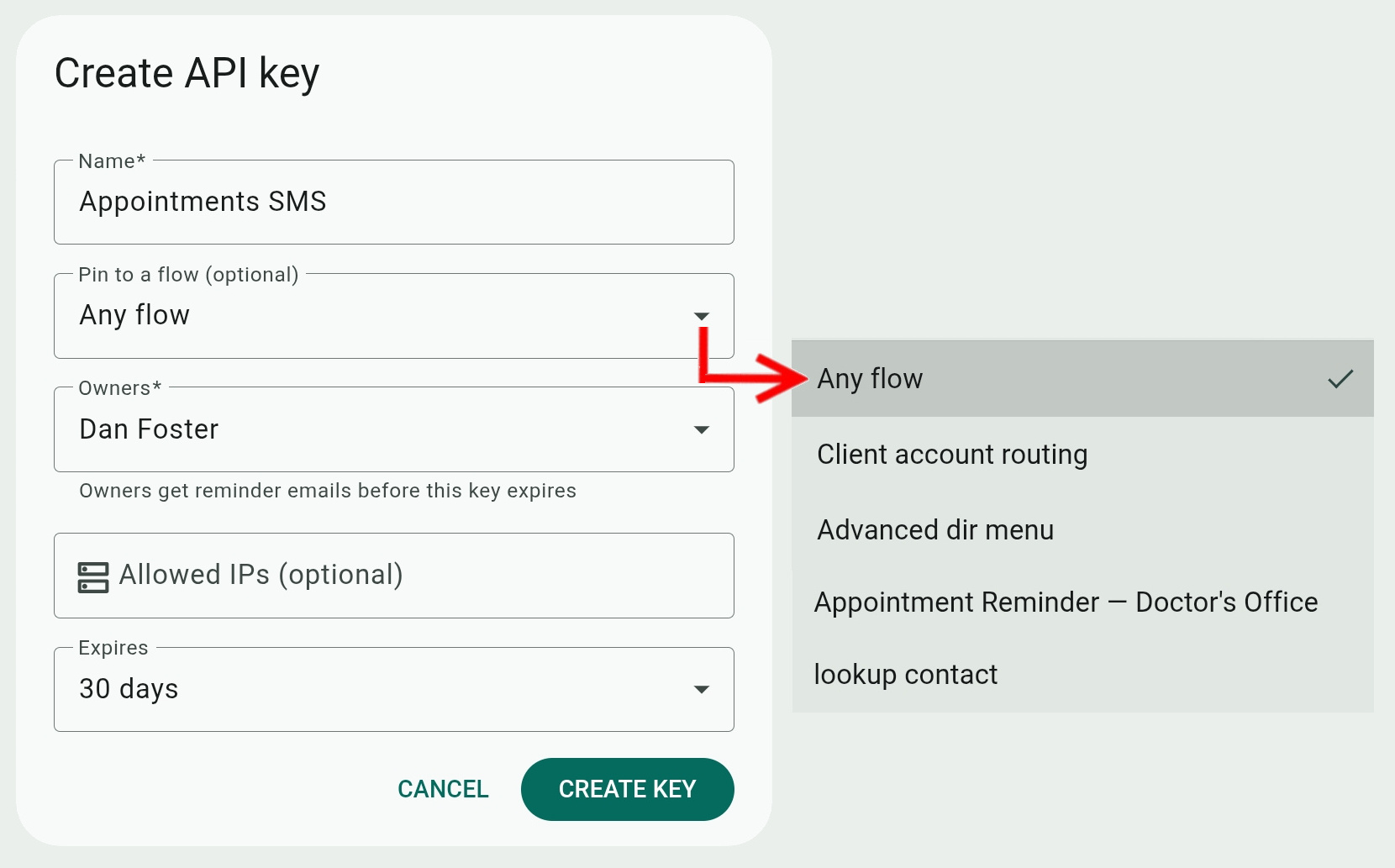
Click Create API key on the main page, enter the Key's Name, and set the other settings as needed.
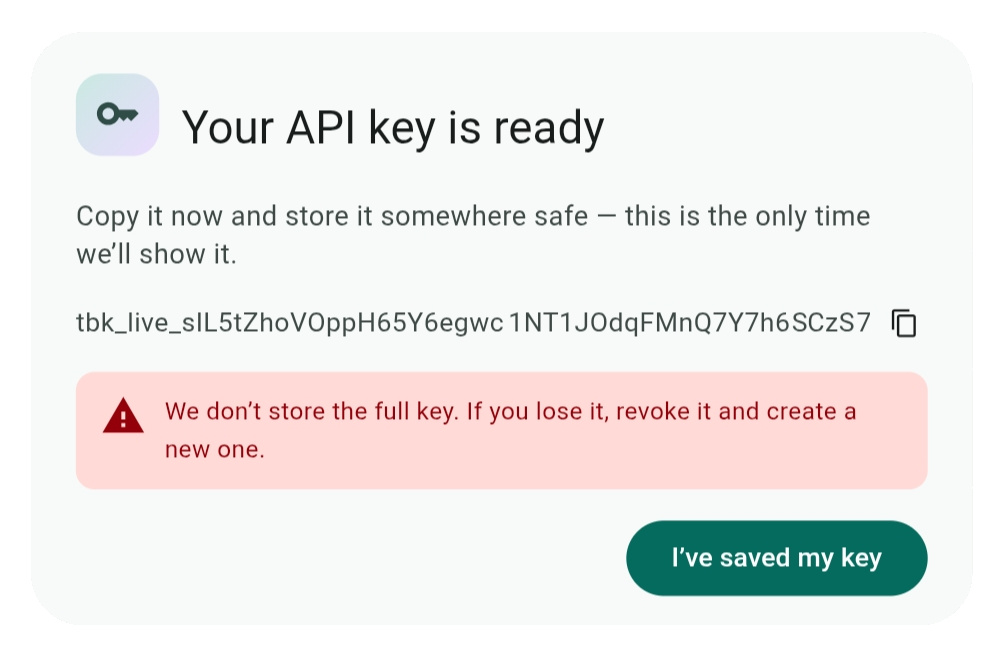
When you click CREATE KEY, you will see the full key and can copy it. This is the only time you will see the full key. After you confirm the prompt, only the key prefix will be stored on the main page. If you lose the key, you will need to revoke it and replace it with a new key.
Rememeber that a key is like a password, and anyone who has it can act as your account, within the limits you set. Store your keys somewhere safe!
Expiration Notifications
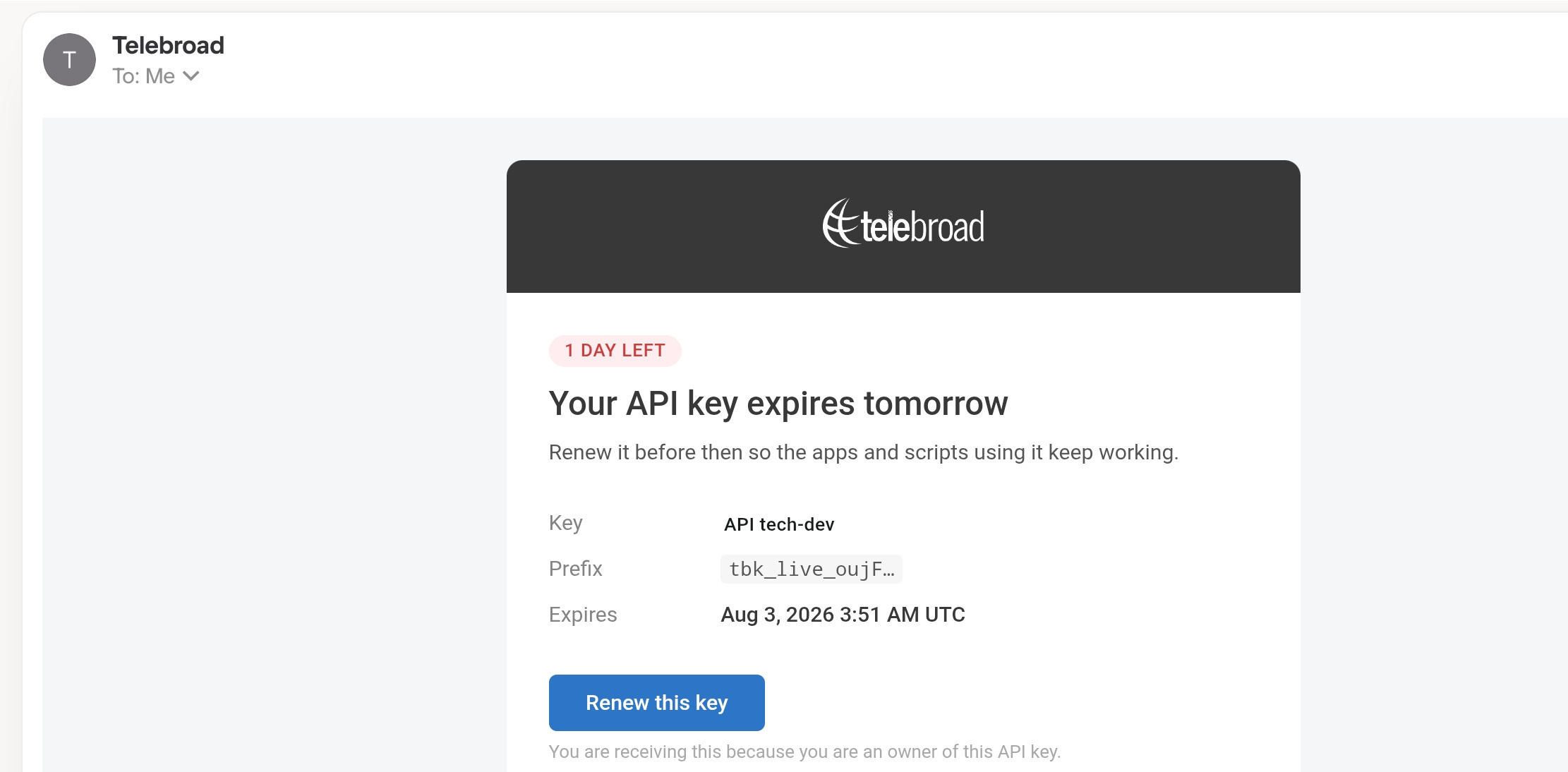
Users who are designated as owners of the key will receieve an email notification one day before the key expires with a direct renewal link to the key.