Usage and Access
DISA (Direct Inward System Access) is a feature for registering external phone numbers as outbound caller IDs on your Telebroad account, offering a personalization experience that lets users display their personal caller IDs when calling contacts.
Calls still take place using the Telebroad account, but instead of the business or company number, the recipient will see the personal caller ID.
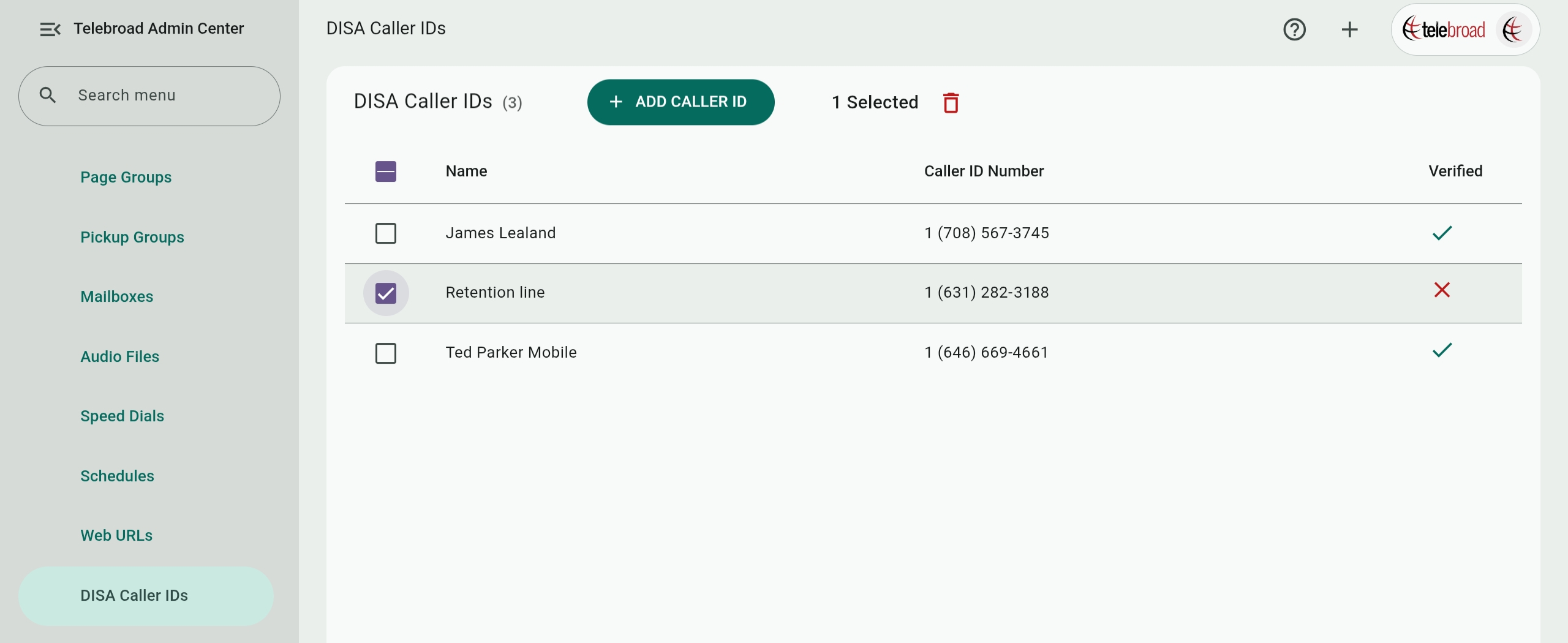
The page is accessed by navigating to Voice Features>DISA CALLER IDs. It is available to users who are Account Owners or have a role with DISA CALLER IDs view permissions (roles are explained here).
The page lists existing DISA Caller IDs by Name, Caller ID Number, and whether they are Verified or not. You can click an unverified number to display SMS or phone call verification options.
DISA Caller IDs can be deleted by checking them and clicking  , but be aware that this cannot be undone.
A related feature is DID (Direct Inward Dialing), and it allows ten-digit phone numbers on the account to be assigned to receive inbound calls by users. Assigning DID numbers is explained here.
Adding and Verifying DISA CALLER IDs
To make sure you own the phone number to be used with DISA caller ID and that you have entered it correctly, you will need to verify it with a code.
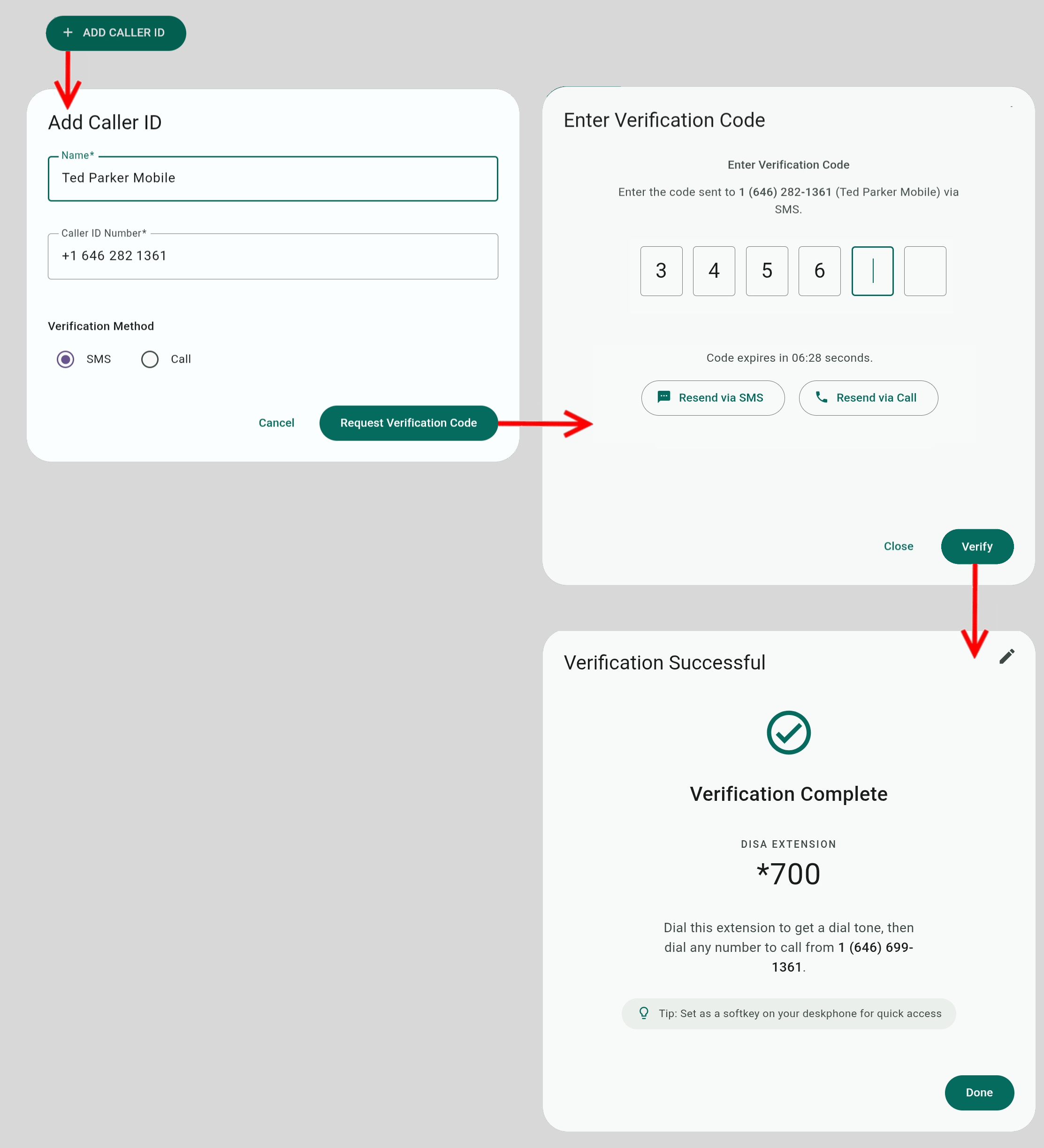
Configure a new DISA Caller ID by selecting ADD CALLER ID and providing a Name and a ten-digit Caller ID Number that can recieve a phone calls or an SMS message. Select SMS or Call as the Verification Method and click Request Verification Code.
If you click Cancel, the DISA Caller ID will be added with an unverified status and cannot be used until verified!
Otherwise, you will receive an SMS message or a phone call with a 6-digit code. Enter the code at the prompt to complete the verification process. If entered correctly, the system will complete the configuration and display the extension number (*700 in the figure).
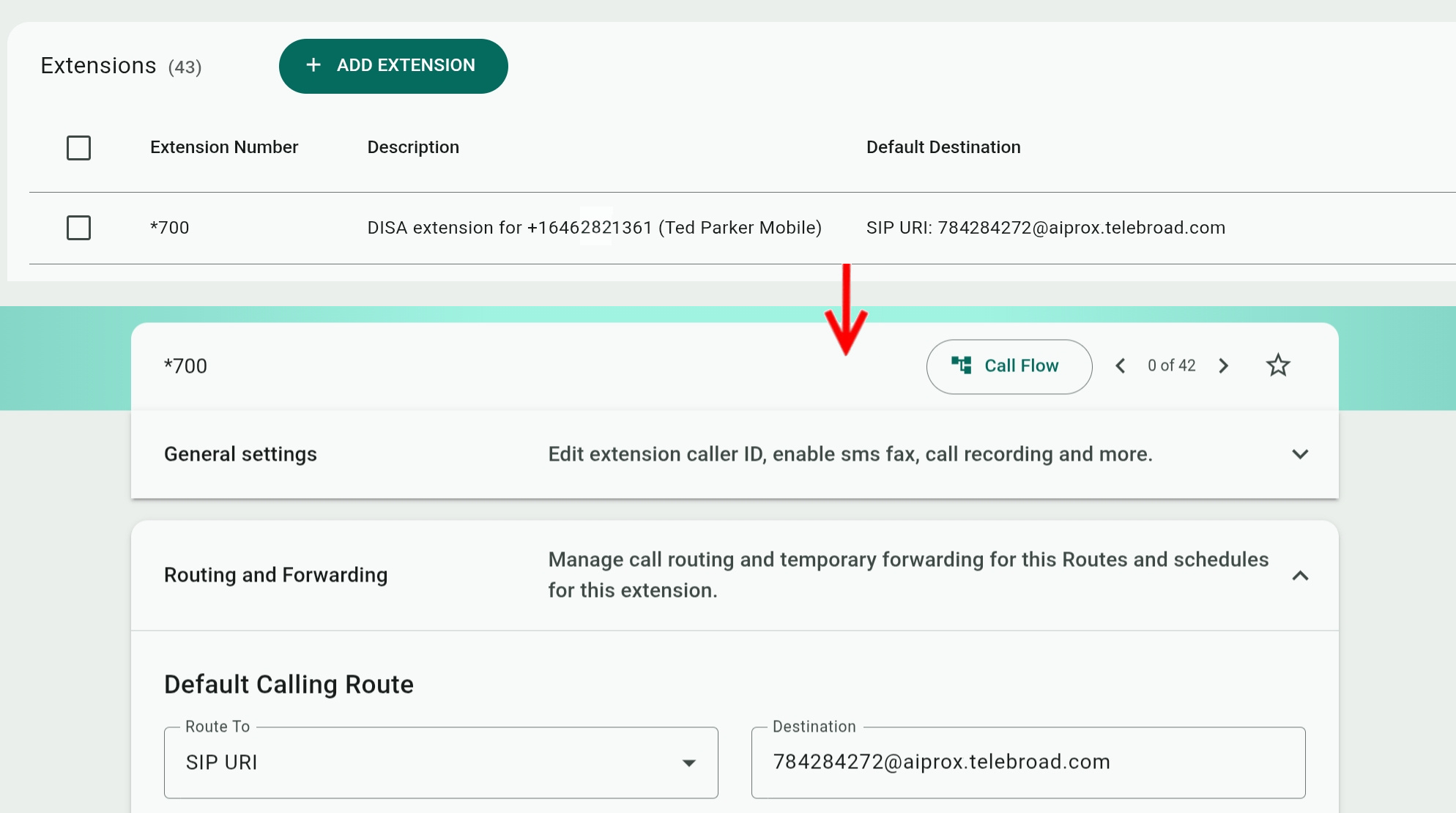
The new extension is also added to the Extensions page, where you can modify its parameters, but you should avoid changing its Default Calling Route.
Using DISA Caller ID Extensions
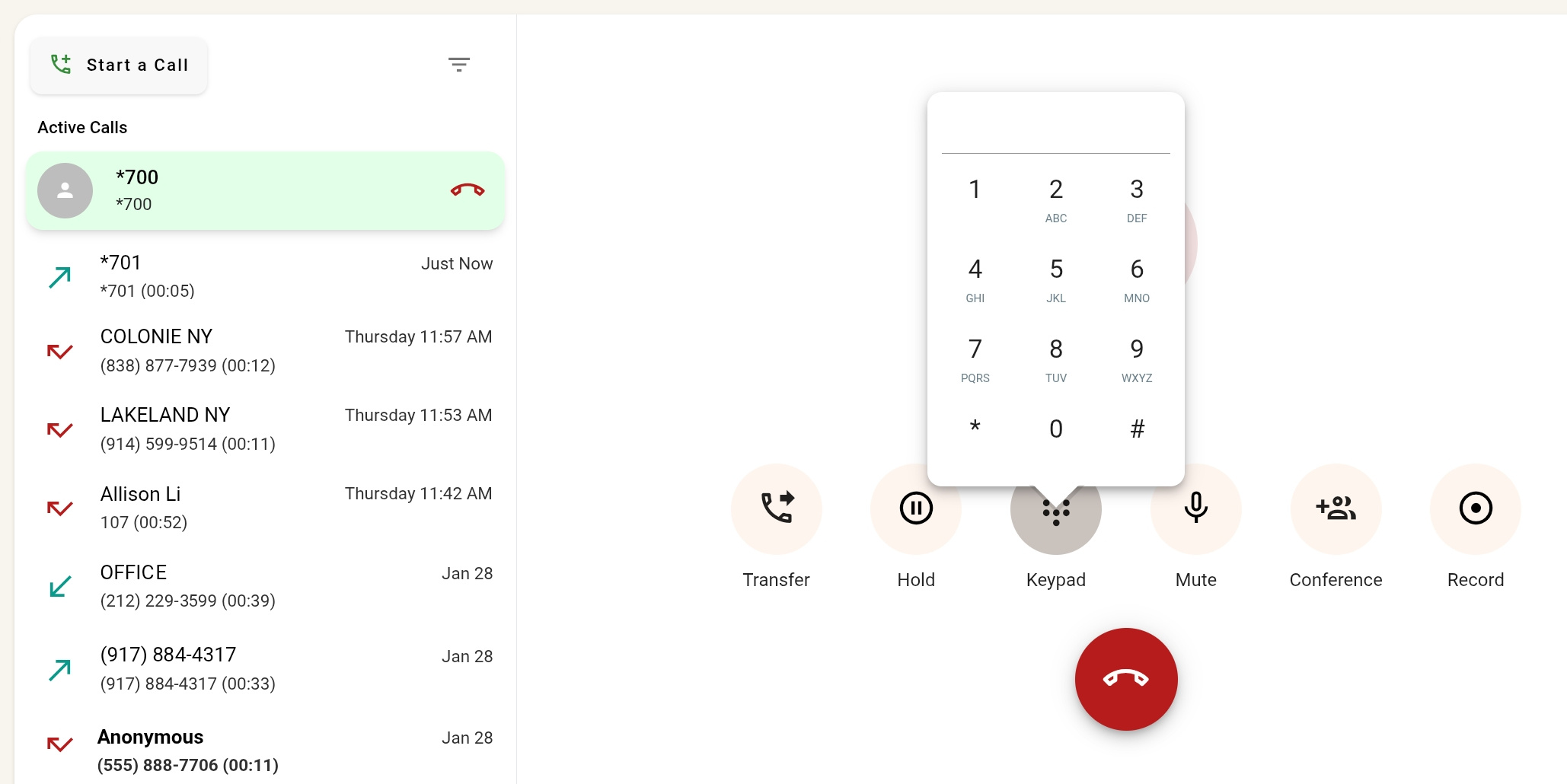
To use a DISA Caller ID, simply dial the DISA extension from any internal line using the TeleConsole app or a SIP desk phone. When you hear a dial tone, you can place an outbound call.
On the TeleConsole, click the keypad button to dial your outbound call.
If using a desk phone, it is recommended to add the DISA extension as a soft key, so you can get DISA access and the dial tone with a press of a button.
Internal lines cannot be called from a DISA extension. If you dial an internal line, you will hear a busy tone and the system will hang up.